

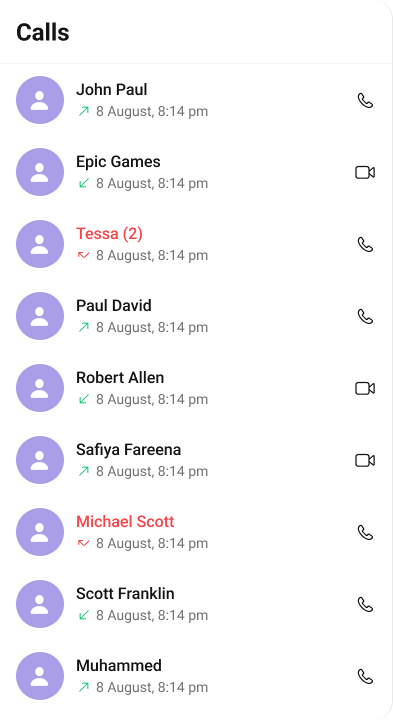
CometChatCallLogs component shows the list of call logs available. By default, names are shown for all listed users, along with their avatar if available.
AI Integration Quick Reference
AI Integration Quick Reference
The
Call Logs component is composed of the following BaseComponents:
Usage
Integration
CometChatCallLogs being a custom view controller, offers versatility in its integration. It can be seamlessly launched via button clicks or any user-triggered action, enhancing the overall user experience and facilitating smoother interactions within the application.
- Swift
Actions
Actions dictate how a component functions. They are divided into two types: Predefined and User-defined. You can override either type, allowing you to tailor the behavior of the component to fit your specific needs.-
set(onItemClick:)
set(OnItemClick:) is triggered when you click on a ListItem of the Conversations component. This set(OnItemClick:) method proves beneficial when a user intends to customize the on-click behavior in CometChatCallLogs.
- Swift
-
set(OnItemLongClick:)
set(OnItemLongClick:) is triggered when you long press on a ListItem of the Call logs component. This set(OnItemLongClick:) method proves beneficial when a user intends to additional functionality on long press on list item in CometChatCallLogs.
- Swift
3. set(onBack:)
Thisset(onBack:) method becomes valuable when a user needs to override the action triggered upon pressing the back button in CometChatCallLogs.
- Swift
4. set(onError:)
This method proves helpful when a user needs to customize the action taken upon encountering an error in CometChatCallLogs.- Swift
5. set(onEmpty:)
Thisset(onEmpty:) method is triggered when the call logs list is empty in CometChatCallLogs.
- Swift
6. setOnLoad
This set(onLoad:) method is triggered when call logs are successfully loaded in CometChatCallLogs.- Swift
Filters
Filters allow you to customize the data displayed in a list within a Component. You can filter the list based on your specific criteria, allowing for a more customized. Filters can be applied using RequestBuilders of Chat SDK.1. CallRequestBuilder
The callRequestBuilder enables you to filter and customize the call list based on available parameters in callRequestBuilder. This feature allows you to create more specific and targeted queries during the call. The following are the parameters available in callRequestBuilder
Example
In the example below, we are applying a filter based on limit , calltype and call status.
- Swift
Events
Events are emitted by aComponent. By using event you can extend existing functionality. Being global events, they can be applied in Multiple Locations and are capable of being Added or Removed.
The Call Logs component does not have any exposed events.
Customization
To fit your app’s design requirements, you can customize the appearance of the conversation component. We provide exposed methods that allow you to modify the experience and behavior according to your specific needs.Style
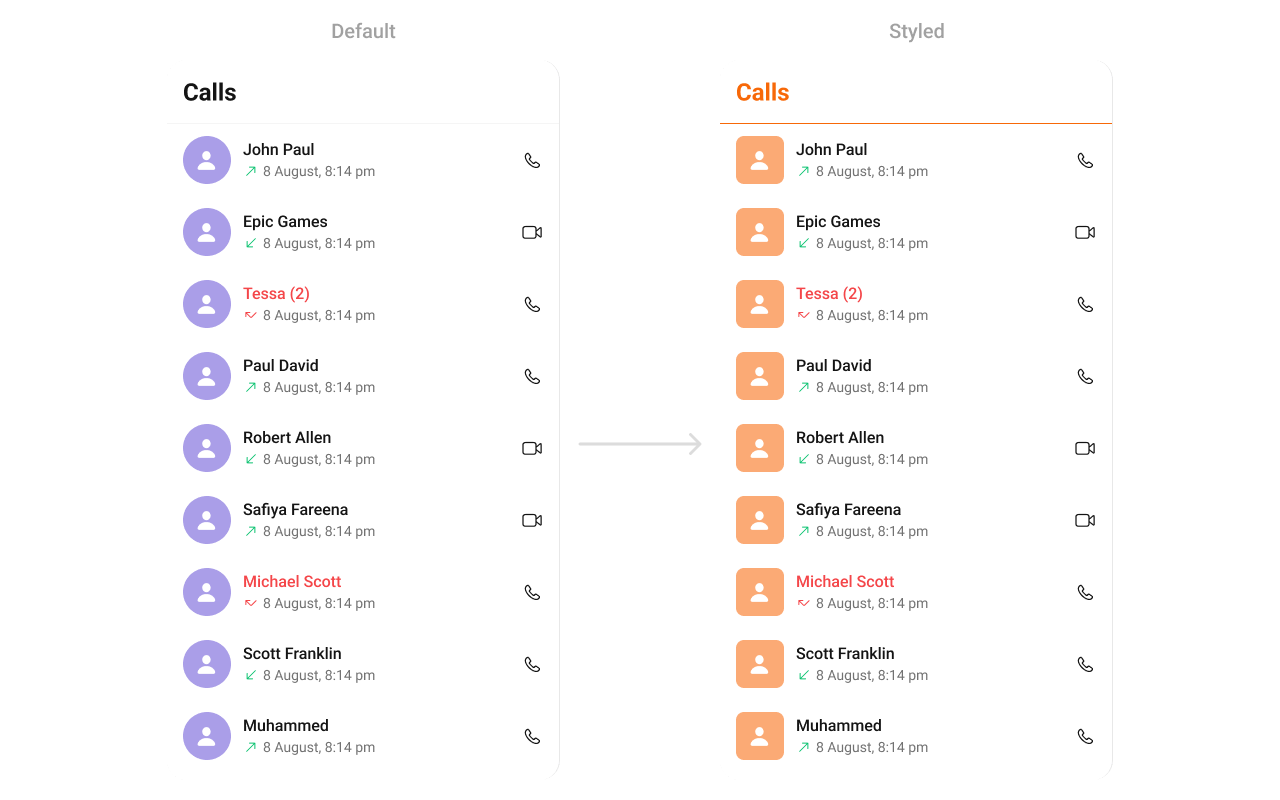
Using Style you can customize the look and feel of the component in your app, These parameters typically control elements such as the color, size, shape, and fonts used within the component.1. CallLog Style
You can customize the appearance of theCallLog Component by applying the CallLogStyle to it using the following code snippet.
Global level styling
- Swift
- Swift
Functionality
These are a set of small functional customizations that allow you to fine-tune the overall experience of the component. With these, you can change text, set custom icons, and toggle the visibility of UI elements. Below is a list of customizations along with corresponding code snippetsAdvance
For advanced-level customization, you can set custom views to the component. This lets you tailor each aspect of the component to fit your exact needs and application aesthetics. You can create and define your views, layouts, and UI elements and then incorporate those into the component.Date Time Formatter
The CometChatCallLogs component supports full customization of how date and time are displayed using the CometChatDateTimeFormatter. This enables developers to localize, format, or personalize the date and time strings shown next to each call log such as “Today”, “Yesterday”, “12:45 PM”, etc.- Component-Level (Global)
- Swift
- Instance-Level (Local)
- Swift
Available closures
Each closure receives a timestamp (Int, representing UNIX time) and must return a String representing the formatted time.
SetListItemView
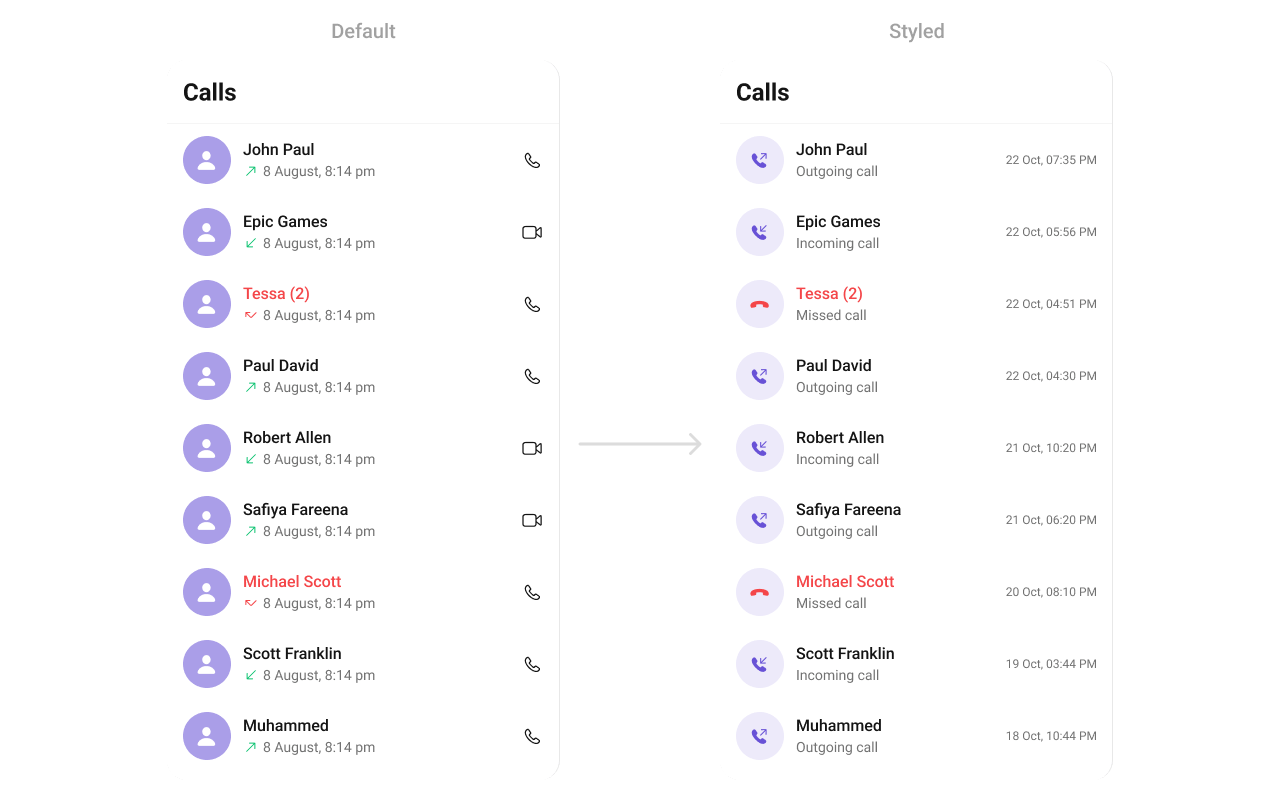
With this function, you can assign a custom ListItem to the CallLogs Component.- Swift
- Swift
CustomListItem for more complex or unique list items.
Afterwards, seamlessly integrate this CustomListItem UIView file into the .setListItemView method within CometChatCallLogs().
SetTitleView
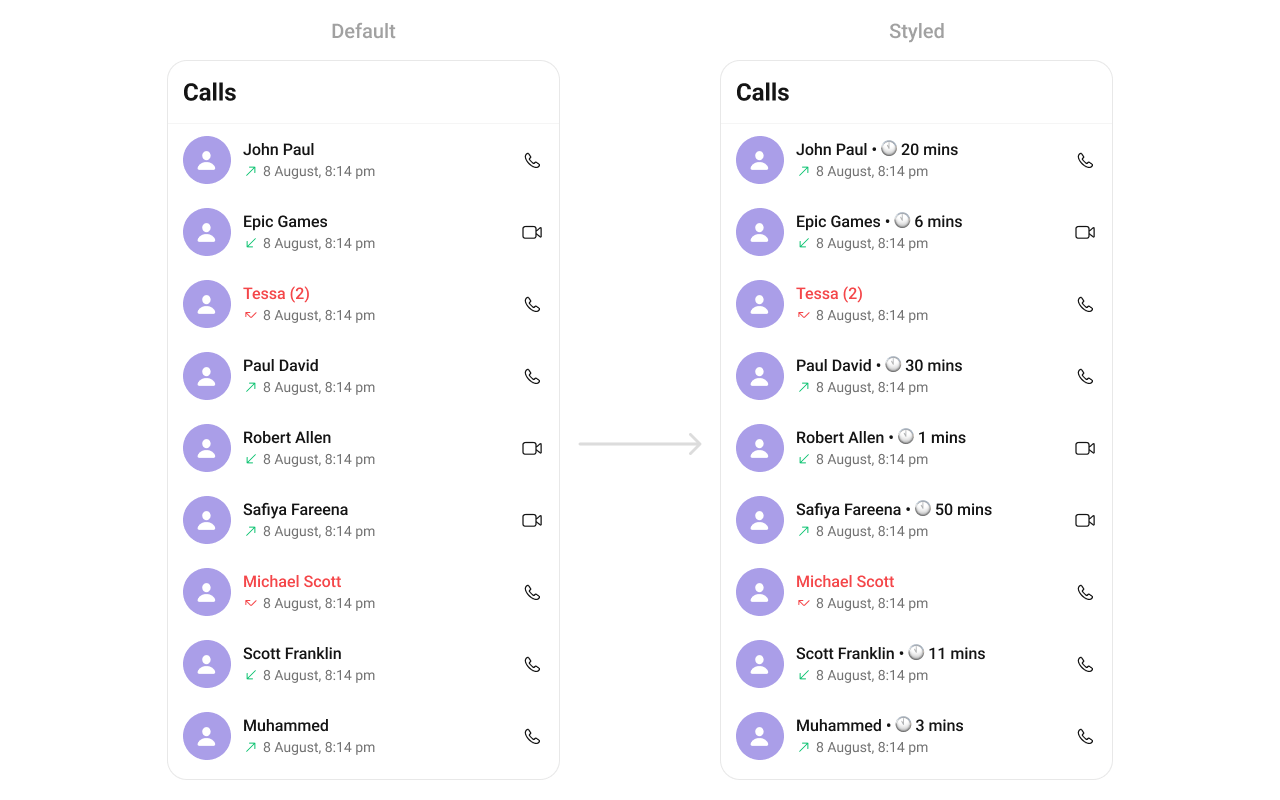
You can create a custom Title view for more complex or unique list items and integrate thisCustomTitleView UIView file into the .set(titleView:) method within CometChatCallLogs().
- Swift
- Swift
SetLeadingView
You can create a custom Title view for more complex or unique list items and integrate thisCustomLeadingView UIView file into the .set(leadingView:) method within CometChatCallLogs().
- Swift
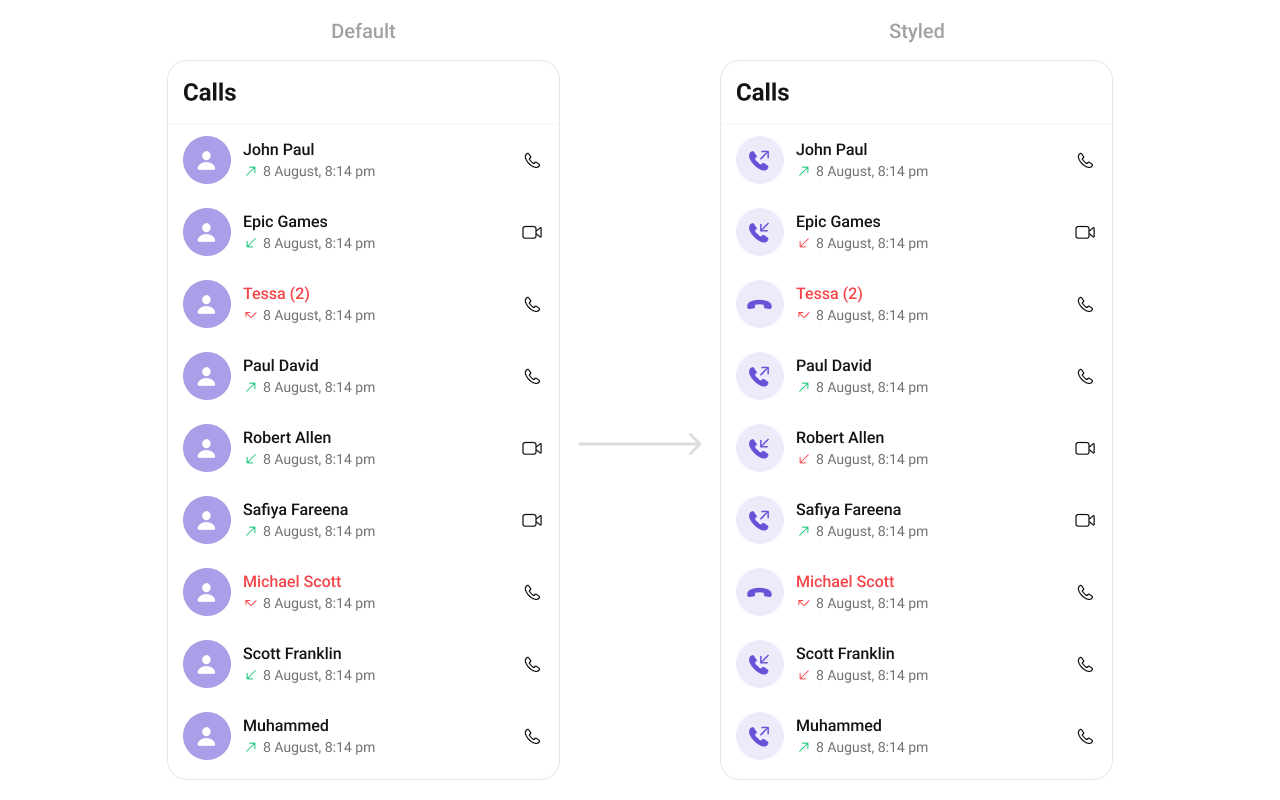
- Swift
SetSubTitleView
You can customize the subtitle view for each callLog item to meet your requirements. You can indeed create a custom Subtitleview UIView file namedSubtitleView for more complex or unique list items.
Afterwards, seamlessly integrate this SubtitleView UIView file into the .setSubtitle method within CometChatCallLogs().
- Swift
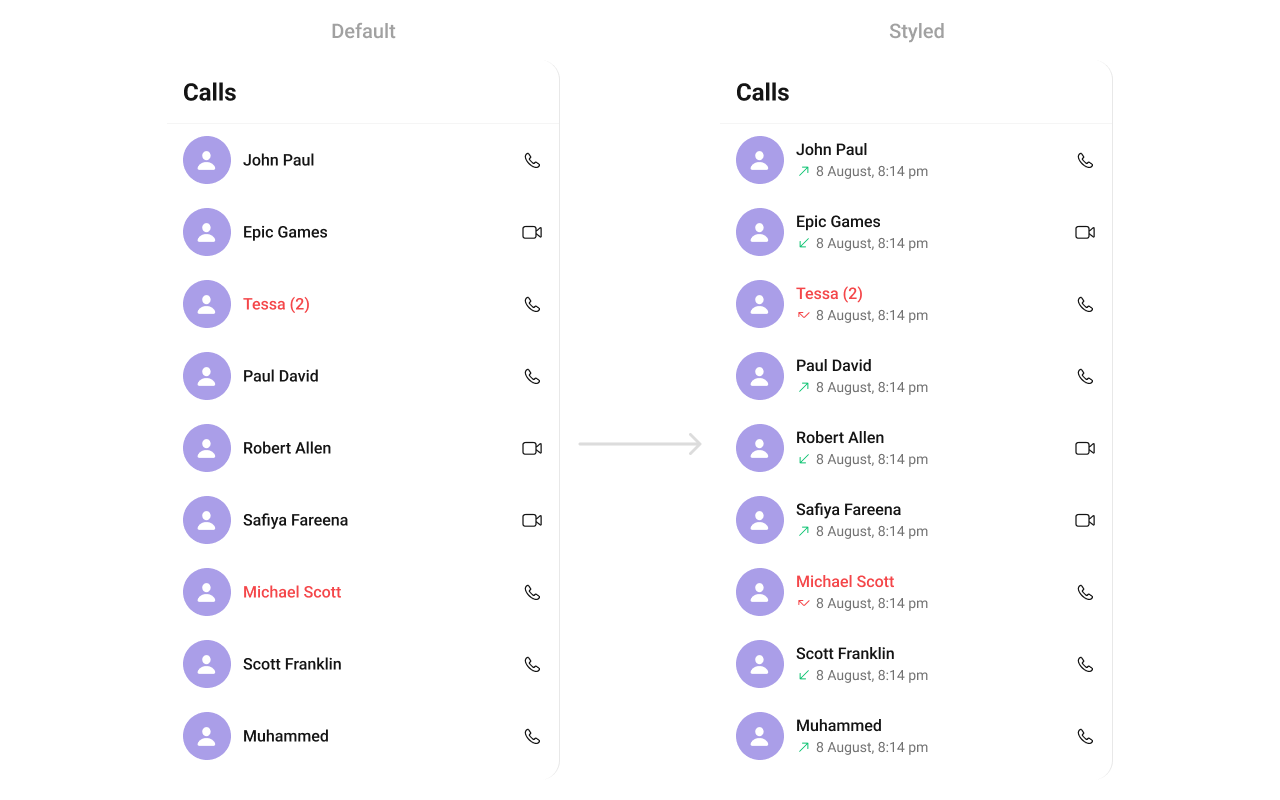
- Swift
SetTrailView
You can customize the tail view for each users item to meet your requirements You can indeed create a custom TrailView UIView file namedCustomTailView for more complex or unique list items.
Afterwards, seamlessly integrate this CustomTrailView UIView file into the .set(trailView:) method within CometChatCallLogs().
- Swift
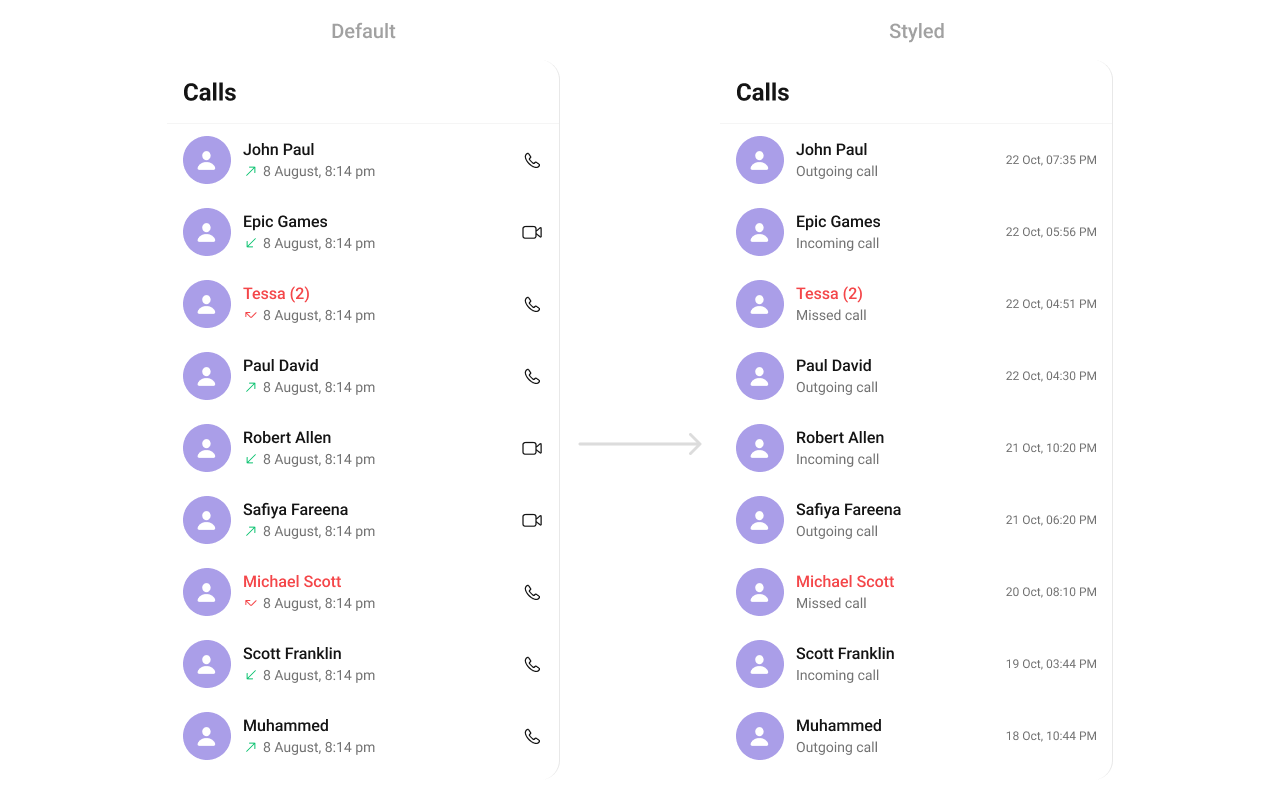
- Swift
Props
All props are optional.callRequestBuilder
Controls which call logs load and in what order.hideError
Hides the error state view.hideNavigationBar
Hides the navigation bar.hideLoadingState
Hides the loading state view.hideBackIcon
Hides the back icon in the navigation bar.avatarStyle
Customizes the appearance of avatars in the call logs list.Events
Events emitted by the Call Logs component:View Slots
Ensure to pass and present
CometChatCallLogs. If a navigation controller is already in use, utilize the pushViewController function instead of directly presenting the view controller.Common Patterns
Present Call Logs as a Tab
Add call logs as a tab in your main navigation:- Swift
Callback on Call Log Selection
Handle call log selection to initiate a callback:- Swift
Filter Call Logs by Type
Show only missed calls or specific call types:- Swift
Call Logs with Custom Empty State
Show a custom view when there are no call logs:- Swift
Related Components
Incoming Call
Display incoming call interface
Outgoing Call
Display outgoing call interface
Call Buttons
Voice and video call buttons