

AI Integration Quick Reference
AI Integration Quick Reference
| Field | Value |
|---|---|
| Package | @cometchat/chat-uikit-react |
| Framework | Astro (with @astrojs/react islands) |
| Components | CometChatMessageHeader, CometChatMessageList, CometChatMessageComposer |
| Layout | Single chat window — no sidebar, no conversation list |
| Prerequisite | Complete Astro Integration Steps 1–5 first |
| SSR | client:only="react" directive — CometChat requires browser APIs |
| Pattern | Support chat, embedded widgets, focused messaging |
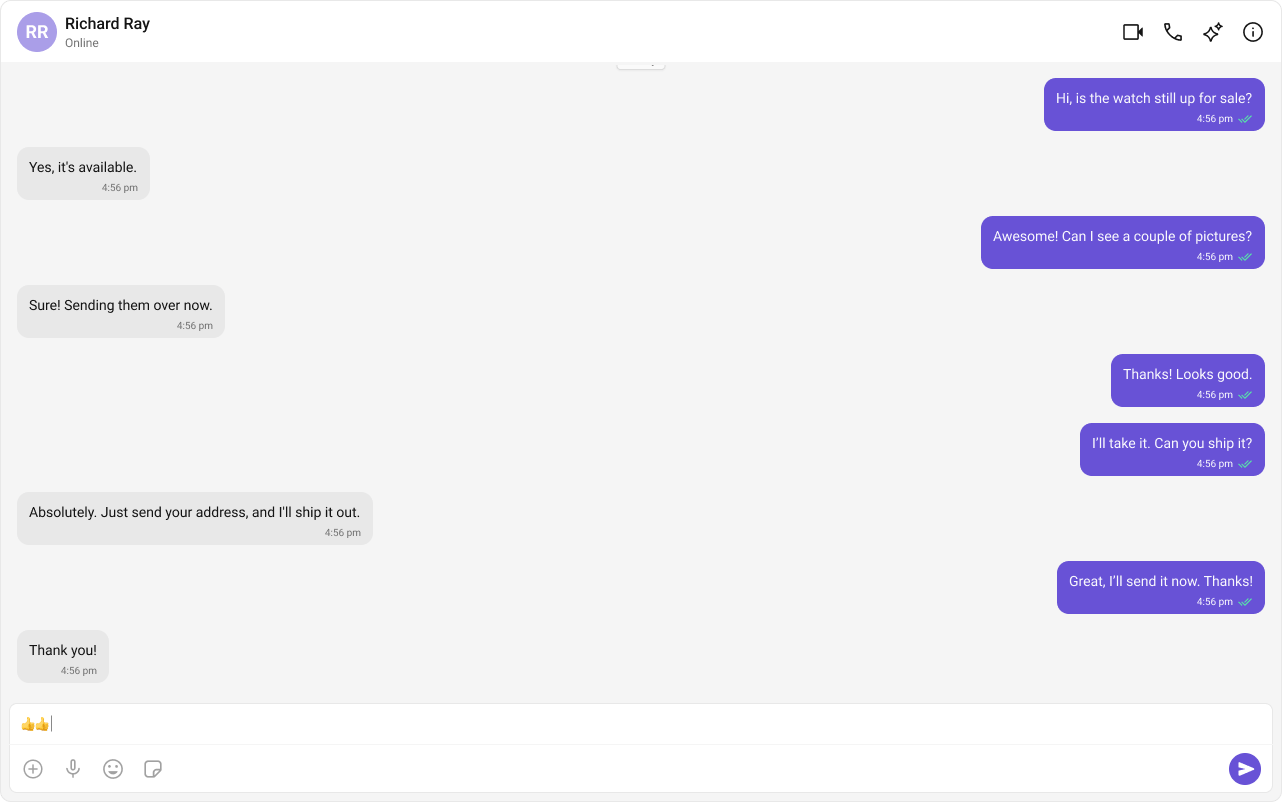
What You’re Building
Three components stacked vertically:- Chat header — displays recipient name, avatar, online status, and optional call buttons
- Message list — real-time chat history with scrolling
- Message composer — text input with media, emojis, and reactions
Step 1 — Create the React Island
Create aOneToOneChat component inside src/components/. This handles init, login, fetches the target user, and renders the chat UI.
src
components
OneToOneChat.tsx
OneToOneChat.css
- TypeScript
- CSS
OneToOneChat.tsx
CometChat.getUser(UID)fetches the user object from the SDK — you need a real user object, not a manually constructed one.- Pass either
userorgroupto the message components, never both. - The highlighted lines show where to set your credentials and target UID.
Switching Between User and Group Chat
To load a group chat instead of one-to-one, replace thegetUser call with getGroup:
Step 2 — Render the Astro Page
Import the island and hydrate it client-side usingclient:only="react".
src/pages/index.astro
client:only="react" directive ensures the component skips SSR entirely and only renders in the browser.
Step 3 — Run the Project
- npm
- pnpm
- yarn
Next Steps
Theming
Customize colors, fonts, and styles to match your brand
Components Overview
Browse all prebuilt UI components

Astro Integration
Back to the main setup guide
Core Features
Chat features included out of the box