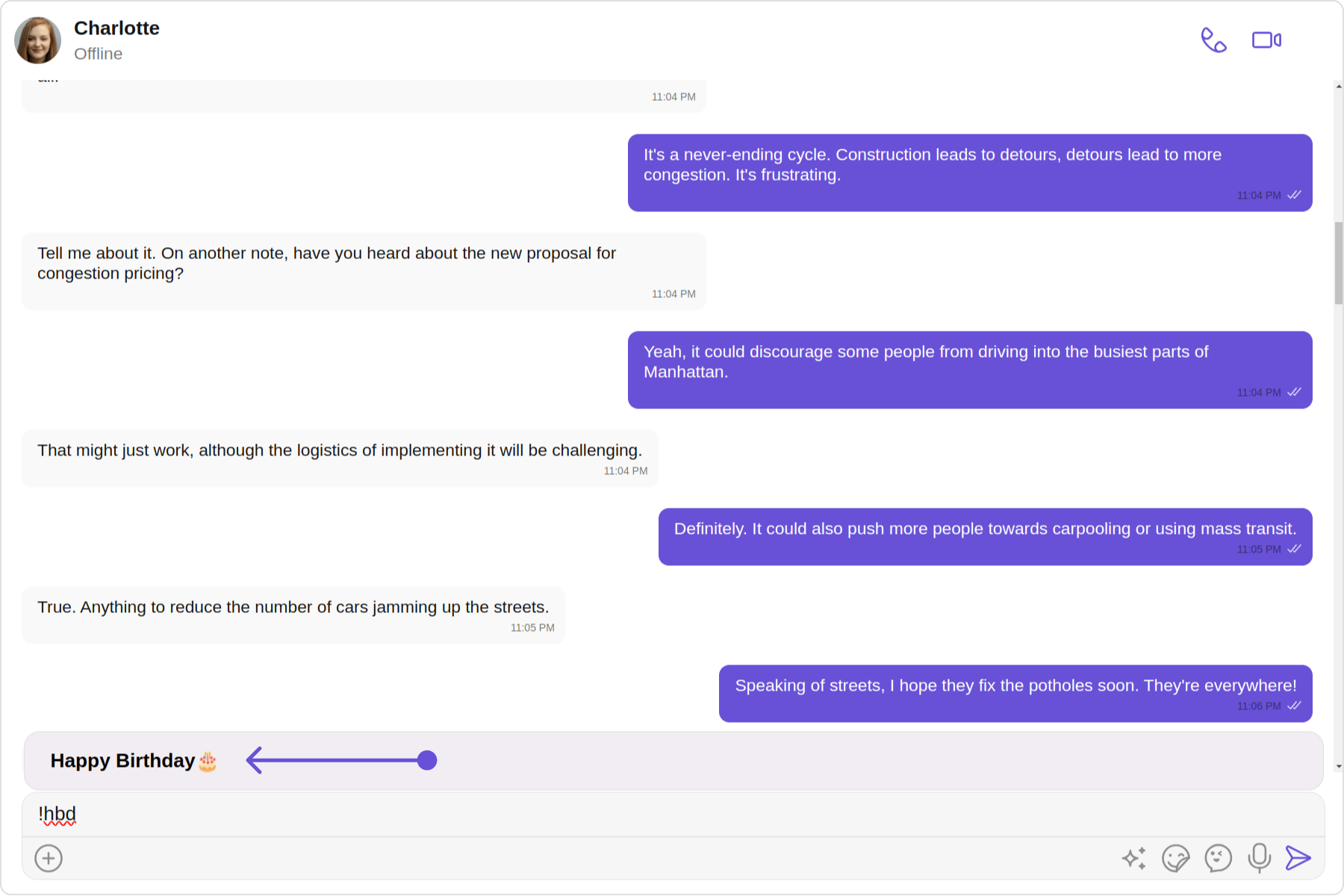
import { CometChatTextFormatter } from "@cometchat/uikit-shared";
import { Subject } from 'rxjs';
import { CometChat } from "@cometchat/chat-sdk-javascript";

export class ShortcutFormatter extends CometChatTextFormatter {
    private shortcuts: { [key: string]: string } = {};
    private dialogIsOpen: boolean = false;
    private currentShortcut: string | null = null;
    private openDialogSubject = new Subject<{ closeDialog?: boolean, buttonText?: string, shortcut?: string, handleButtonClick?:any }>();
    openDialog$ = this.openDialogSubject.asObservable();

    constructor() {
        super();
        this.setTrackingCharacter('!');
        CometChat.callExtension('message-shortcuts', 'GET', 'v1/fetch', undefined)
            .then((data: any) => {
                if (data && data.shortcuts) {
                    this.shortcuts = data.shortcuts;
                }
            })
            .catch(error => console.log("error fetching shortcuts", error));
    }

    override onKeyDown(event: KeyboardEvent) {
        const caretPosition = this.currentCaretPosition instanceof Selection
            ? this.currentCaretPosition.anchorOffset
            : 0;
        const textBeforeCaret = this.getTextBeforeCaret(caretPosition);

        const match = textBeforeCaret.match(/!([a-zA-Z]+)$/);
        if (match) {
            const shortcut = match[0];
            const replacement = this.shortcuts[shortcut];
            if (replacement) {
                if (this.dialogIsOpen && this.currentShortcut !== shortcut) {
                    this.closeDialog();
                }
                this.openDialog(replacement, shortcut);
            }
        }
    }

    getCaretPosition() {
        if (!this.currentCaretPosition?.rangeCount) return { x: 0, y: 0 };
        const range = this.currentCaretPosition?.getRangeAt(0);
        const rect = range.getBoundingClientRect();
        return {
            x: rect.left,
            y: rect.top
        };
    }

    openDialog(buttonText: string, shortcut: string) {
        this.openDialogSubject.next({ buttonText, shortcut , handleButtonClick: this.handleButtonClick});
        this.dialogIsOpen = true;
        this.currentShortcut = shortcut;
    }

    closeDialog() {
        this.openDialogSubject.next({closeDialog: true});
    }

    handleButtonClick = (buttonText: string) => {
        console.log(buttonText);

        if (this.currentCaretPosition && this.currentRange) {
            const shortcut = Object.keys(this.shortcuts).find(key => this.shortcuts[key] === buttonText);
            if (shortcut) {
                const replacement = this.shortcuts[shortcut];
                this.addAtCaretPosition(replacement, this.currentCaretPosition, this.currentRange);
            }
        }
        if (this.dialogIsOpen) {
            this.closeDialog();
        }
    };

    override getFormattedText(text: string): string {
        return text;
    }

    private getTextBeforeCaret(caretPosition: number): string {
        if (this.currentRange && this.currentRange.startContainer && typeof this.currentRange.startContainer.textContent === "string") {
            const textContent = this.currentRange.startContainer.textContent;
            if (textContent.length >= caretPosition) {
                return textContent.substring(0, caretPosition);
            }
        }
        return "";
    }
}

export default ShortcutFormatter;