

Quick Reference
Quick Reference
- AI Assistant Chat History
- Chat History Management
- Contextual Responses
- Agent Detection
- Seamless Handoffs
1:1 and group conversations. AI Agents work in both one-on-one and group conversations. In a 1:1 chat, the end user talks directly with the agent user. In a group, the agent participates as a member — its messages (including cards) are rendered and attributed like any other member’s message.
Overview
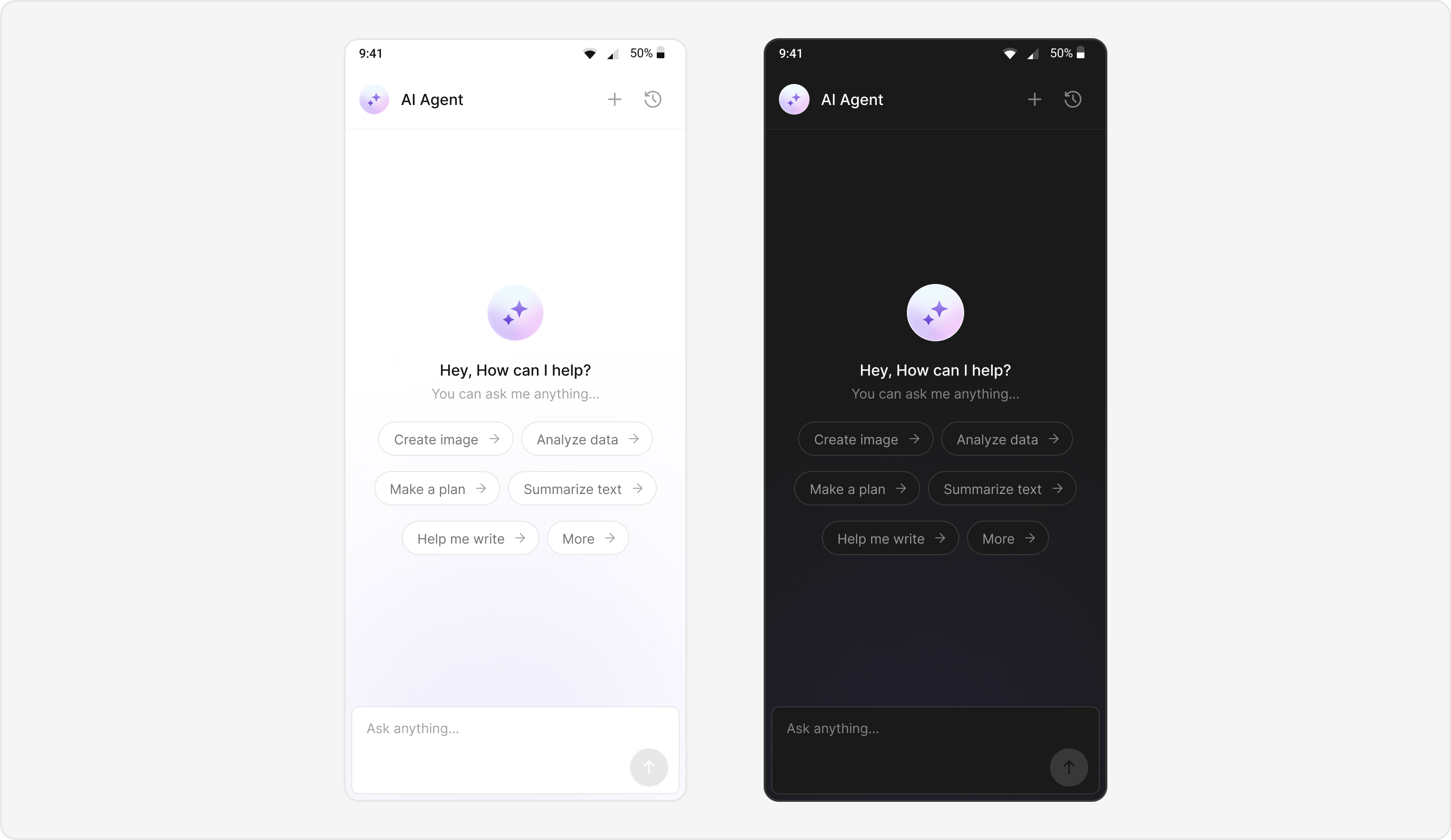
Users can interact with AI agents through a dedicated chat interface that:- Provides intelligent responses based on conversation context.
- Maintains chat history for continuity.
- Seamlessly integrates with your existing user chat system.
Prerequisites
- Android Studio project with
com.cometchat:chatuikit-kotlin-androidorcom.cometchat:chatuikit-compose-androidinbuild.gradle. - Internet permission in
AndroidManifest.xml. - Valid CometChat App ID, Region, and Auth Key configured via
UIKitSettings. - User logged in with
CometChatUIKit.login(). - AI Agent configured in your CometChat dashboard.
Components
Integration Steps
Step 1 — Activity / Screen Setup
Create the AI Assistant chat screen with proper layout configuration.- Kotlin (XML Views)
- Jetpack Compose
AIAssistantChatActivity.kt
AIAssistantChatActivity.kt
Step 2 — Layout (XML Views only)
AddCometChatMessageHeader, CometChatMessageList, and CometChatMessageComposer to your layout.
activity_ai_assistant_chat.xml
Note: In Jetpack Compose, layout is handled declaratively in the composable function — no XML needed.
Step 3 — Style of Message List & Composer (XML Views only)
Define custom styles for the message list and composer to differentiate AI agent chats.themes.xml
Jetpack Compose: Pass a custom style object via the style parameter on each composable instead of XML styles.
Step 4 — Initialize click listeners
Initialize click listeners to handle new chat creation and chat history access.- Kotlin (XML Views)
- Jetpack Compose
AIAssistantChatActivity.kt
Step 5 — AI Assistant Chat History screen
Create a screen to host theCometChatAIAssistantChatHistory component.
- Kotlin (XML Views)
- Jetpack Compose
AIAssistantChatHistoryActivity.kt
Step 6 — Chat History layout (XML Views only)
activity_ai_assistant_chat_history.xml
Note: In Jetpack Compose, the CometChatAIAssistantChatHistory composable is used directly — no XML layout needed.
Step 7 — Launching AI Chat
- Kotlin (XML Views)
- Jetpack Compose
Implementation Flow Summary
Customization Options
- Custom AI Assistant Empty Chat View: Customize the empty state view using
setAIAssistantEmptyChatGreetingView()(XML Views) or theemptyViewcomposable slot (Compose). - Streaming Speed: Adjust AI response streaming speed via
setStreamingSpeed(). - AI Assistant Suggested Messages: Create custom list of suggested messages using
setAIAssistantSuggestedMessages(). - AI Assistant Tools: Set tools for the AI agent using
setAIAssistantTools().
Feature Matrix
Android AI Builder Sample
Explore this feature in the CometChat AI Builder:
GitHub → AI Builder
Android Sample App (Kotlin)
Explore this feature in the CometChat SampleApp:
GitHub → SampleApp